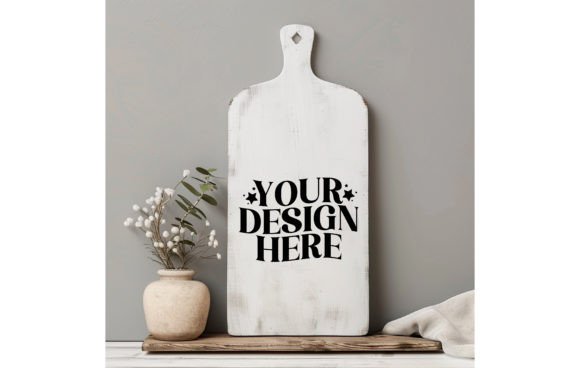
Elevate Your Designs: The Winter White Wood Board Mockup
When you are finalizing a collection, whether it is a series of printable wall art or a new line of sublimation designs, context is everything. A beautiful graphic floating in a white void looks unfinished. It lacks the "where does this live?" element that sells the dream to a buyer. That is precisely where a high-quality mockup becomes an essential asset for your toolkit. The Winter, White Color Wood Board Mockup is not just a background image; it is a digital staging ground designed to transform your flat artwork into a tangible, marketable product.
The Aesthetic Appeal of the White Wood Board
Visualize a crisp, clean surface. It has the texture of natural wood, but instead of a dark or golden oak, it is painted in a pristine, matte winter white. This specific style is incredibly versatile. The "winter" aspect implies a certain coolness and clarity in the lighting—soft shadows and a lack of harsh yellow undertones. This creates a neutral, airy environment that feels both modern and timeless.
Unlike a stark pure white digital background, the wood grain introduces organic texture without creating visual noise. It is the perfect middle ground. If you are working with bold typography or vibrant illustrations, the white wood recedes, allowing your design to take center stage. If you are working with softer pastels, the board provides enough contrast to define the edges of your work. It is a surface that communicates cleanliness, professionalism, and Scandinavian-inspired minimalism.
Transforming Flat Graphics into Tangible Products
One of the biggest hurdles for digital creators is bridging the gap between pixels and physical reality. You might be selling a premium font or a set of watercolor clipart, but if the customer cannot visualize how it looks printed on a physical medium, conversion rates often suffer.
By placing your artwork onto this 1500x1500px canvas, you instantly give your work physical weight. For example:
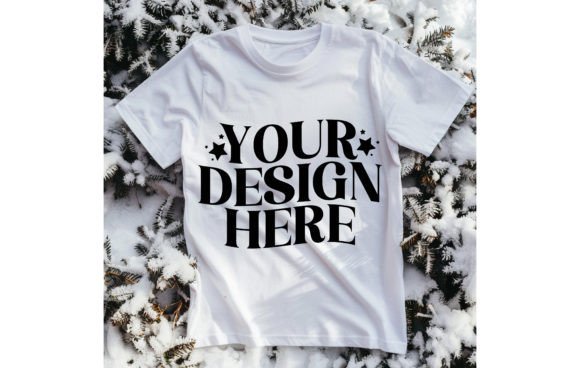
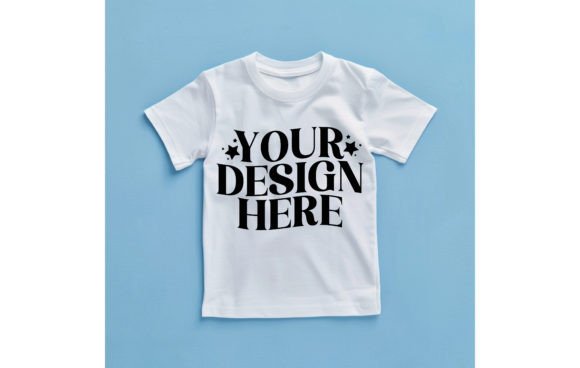
- T-Shirt and Apparel Designers: Instead of showing a flat vector graphic, you can use this board to create a mockup for a "cut file" or a heat transfer design resting on a crafting table. It signals to the buyer that this is a tool for makers.
- Wall Art and Illustrators: If you create watercolor designs, placing them on a white wood board mimics the look of a painting resting on an easel or a shelf. It creates a lifestyle shot without the cost of a photographer.
- Brand Strategists: If you are developing a brand identity for a client, showing logo variations on textured backgrounds helps demonstrate how the brand feels in the real world, not just on a grid.
Practical Applications Across Industries
The utility of this specific JPEG extends far beyond simple wall art. Because the surface is neutral, it adapts to almost any industry standard. For packaging design, you can create a "label mockup" effect by overlaying your box design onto the wood, suggesting a rustic or artisanal quality for the product. This works exceptionally well for organic brands, bakeries, or boutique cosmetics.
For social media graphics, consistency is key. The 1500x1500px square format is optimized for platforms like Instagram and Pinterest. By using the same Winter White Wood Board Mockup across a series of posts, you create a cohesive visual grid. This uniformity acts as a visual anchor, making your profile look curated and professional. It helps in establishing a recognizable style that followers can instantly identify while scrolling through their feeds.
Technical Specifications and Workflow Integration
As a professional, you need assets that work with your process, not against it. This mockup is delivered as a high-resolution 300 DPI image. This is a critical detail. While 72 DPI is standard for web, 300 DPI ensures that if you ever need to print a physical lookbook, a catalog, or a trade show banner featuring your designs, the image will remain sharp and crisp.
Integrating this into your workflow is seamless. Whether you use Photoshop, Affinity Photo, or even simple drag-and-drop web editors, you simply layer your design on top of the wood texture. To make it look realistic, you only need to adjust the blending mode or opacity slightly to let a hint of the wood grain show through your artwork, or use a "multiply" setting for printed effects. This flexibility allows graphic designers to produce high-quality previews in minutes rather than hours.
Why Context Matters for Conversion
In a saturated digital marketplace, the presentation often matters as much as the product itself. A display font or a complex illustration looks expensive when presented in a professional environment. Conversely, the exact same design looks cheap if it is presented as a raw file with no context.
Using a mockup like the Winter White Wood Board signals to your audience that you care about the details. It builds trust. When a potential buyer sees a design "lifestyle" shot, they are not just buying a JPEG; they are buying the aesthetic you have created. This is vital for small business owners and marketers who need to maximize the perceived value of their digital goods.
Final Thoughts on Utility
This is a digital asset designed for the modern creative economy. It eliminates the need for expensive photography equipment or physical samples. By utilizing this instant download, you gain a versatile surface that supports modern typography, illustration, and branding projects. It is a practical solution for anyone looking to elevate their portfolio or product listings with a clean, professional, and winter-fresh aesthetic.